如何安裝 ingress-nginx
安裝 ingress nginx#
前言#
此文章使用以下設定
| Version | |
|---|---|
| Windows | Windows 10 |
| wsl2 linux | Ubuntu-20.04 |
| Docker Desktop | 4.1.1(69879) |
| Docker Kubernetes | v1.21.5 |
要注意 ingress-nginx 由 K8S 開發.
nginx-ingress 是由 nginx 開發,雖然都是用nginx作為 reverse proxy server 但設定上會有差別。
安裝#
官網有提供各種安裝的選擇 Installation Guide - NGINX Ingress Controller (kubernetes.github.io)
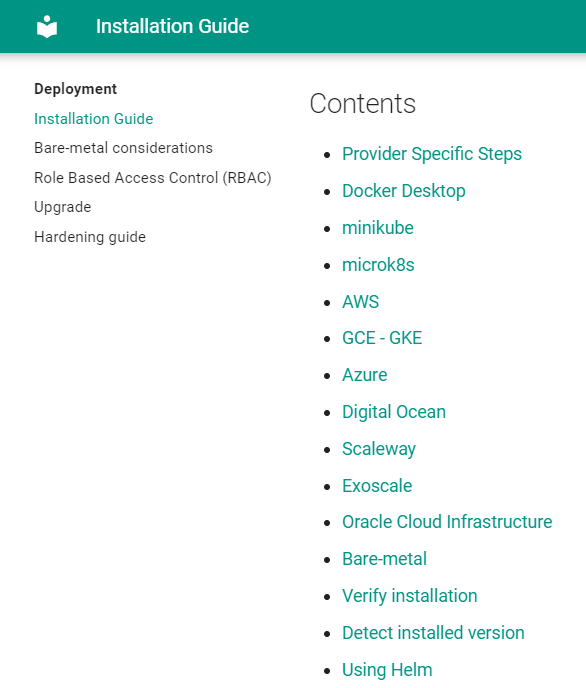
此文使用 Docker Desktop. 如果 k8s 是安裝在伺服器上,請選擇 Bare-metal.
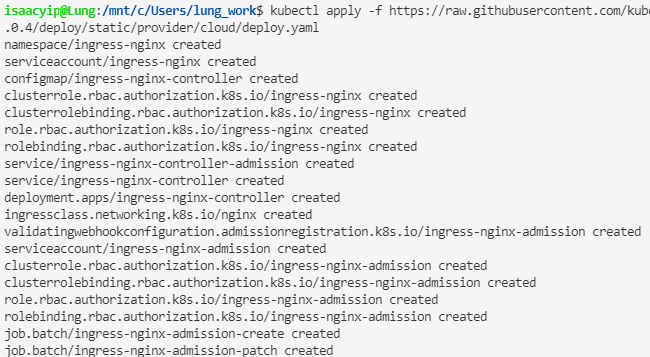
kubectl apply -f https://raw.githubusercontent.com/kubernetes/ingress-nginx/controller-v1.0.4/deploy/static/provider/cloud/deploy.yaml
可以看到 k8s 會建立一堆資源
用以下命令查看資源狀態,可以看到 EXTERNAL-IP 是 localhost。
kubectl get all -n ingress-nginx
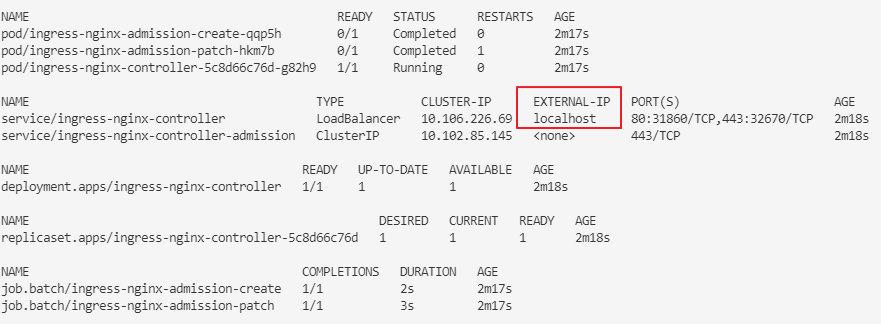
Ingress controller 啟動後需要一定時間取得 EXTERNAL-IP ,如顯示 pending,請等待 1-2 分鐘。
在 browser 輸入網址 http://localhost/ 可以看到以下畫面,代表安裝成功。

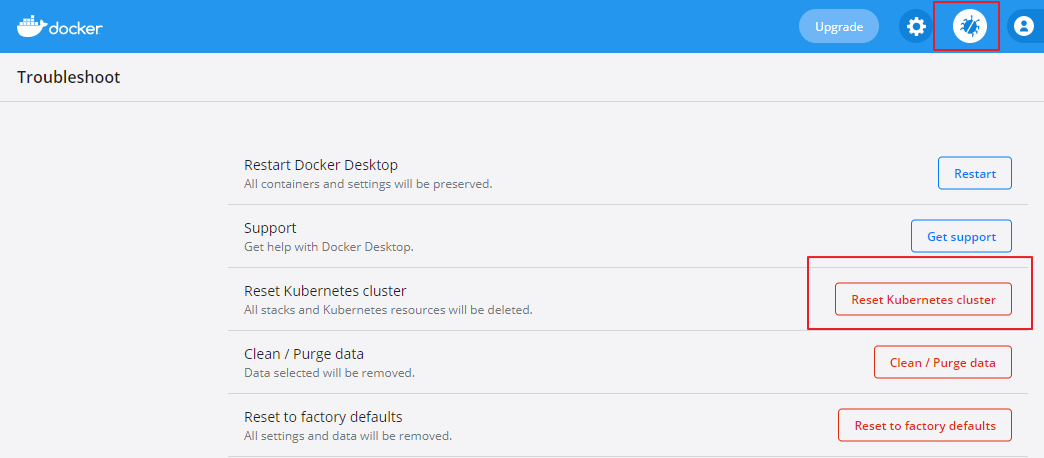
如果 EXTERNAL-IP 一直顯示 pending,可以賞試在 Docker Desktop Troubleshoot 頁面 Reset Kubernetes cluster 然後重新啟動 Docker Desktop.
再重新安裝 ingress-nginx.
Bare-metal ingress#
如果是使用 bare-metal,安裝在另外的伺服器上,需要自行填上自己伺服器的 IP。
kubectl patch service ingress-nginx-controller -n ingress-nginx --patch '{"spec": {"externalIPs": ["172.28.240.1"] }}'
也可以安裝 MetalLB,自動分派 IP,此處不詳述。
移除安裝#
kubectl delete -f https://raw.githubusercontent.com/kubernetes/ingress-nginx/controller-v1.0.4/deploy/static/provider/cloud/deploy.yaml
評論